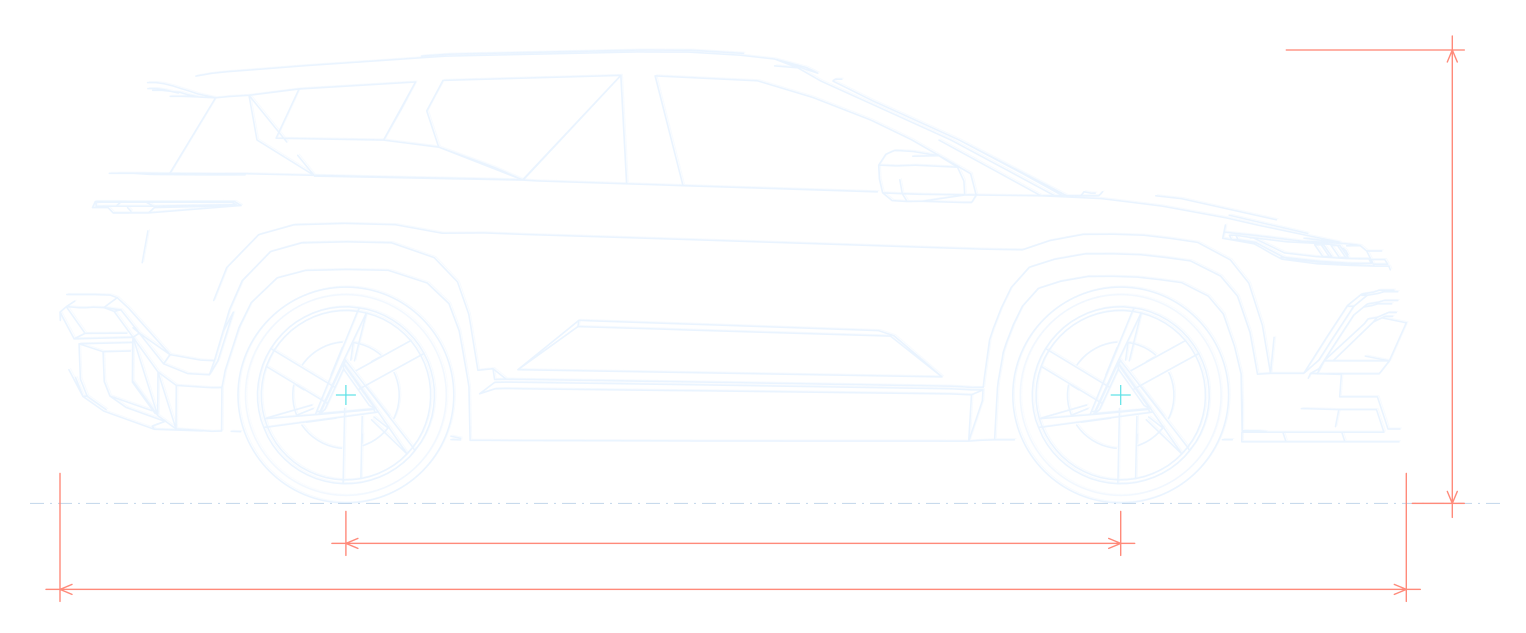
Battery
Pack voltage and current, cell voltages and spread, battery and coolant temperatures, insulation resistance, and usable capacity from your own charging. Share a one-page battery health report as a PDF.
Battery, 12V, trips and fault codes, read straight from the car through a Bluetooth OBD adapter. Your car talks to your phone. No ads, no tracking, and it lets the car sleep.
Plug in, open Ocean Live, and the charge ring fills as the car charges. Power, energy added and time to your limit update as the car reports them, and every charge is saved with its own curve. On a drive: distance, energy and efficiency.
Illustration with sample values
Ocean Live reads the battery management system and the car's modules directly.
Pack voltage and current, cell voltages and spread, battery and coolant temperatures, insulation resistance, and usable capacity from your own charging. Share a one-page battery health report as a PDF.
Drive and charge history with charging curves, regen per drive, charging cost per session and per month, parked drain and CSV export.
Charge level reached, charging stopped, low 12V battery, uneven cells and a hot pack.
Tap the ? to ask Claude, Anthropic's AI, about your Ocean or the app. It answers from an Ocean owner guide and a fault code table and, unless you turn it off, sees your latest readings. Never the VIN or location, and it never talks to the car. 10 free questions a day.
Optional live telemetry to A Better Route Planner with your own token and key, so your route plan knows your real charge.
Charge ring on the left, readings and the Connect button on the right. Made for the Ocean's own display in split screen under ABRP, and for phones held sideways.
Values are checked against the car's own screen. The Android and iPhone apps have the same features and decode the car the same way.
A weak 12V battery is the most common way an EV refuses to wake up. Ocean Live graphs it over days and weeks, shows the resting voltage after the car has slept, and warns you when it runs low.
Illustration with sample values
Scan every module for stored codes and see what they mean, with active codes first and what's new or cleared since your last scan. Read module software versions and part numbers too. Import your own description lists; they stay on your phone.
Module positions in the drawing are illustrative.
Body control module · lost communication, missing message
Climate control · circuit short to ground
Brake module · signal invalid, stored
Battery management · cleared since last scan
Illustration with made-up sample codes
The watch apps, widgets, Live Activity and car screens show what your phone already has. Android Auto and CarPlay update every second.
Android 8.0 or newer. Home screen widget. Android Auto.
Watch app with a tile and a complication. Wear OS 3 or newer.
iOS 17 or newer, with CarPlay. Home and Lock Screen widgets and a charging Live Activity on iOS 18 or newer.
Your charge and readings on your wrist, straight from your iPhone.
Ocean Live talks to the car through a Bluetooth LE OBD adapter that speaks ELM327, such as a Vgate vLinker FD+ (the one most Ocean owners use) or an OBDLink CX.
Free. Signed with the official Ocean Live key.
The full phone app, with the Android widget and Android Auto. Download it on your phone and install it.
Watch app with a tile and a complication. It shows what the phone app reads, so install the phone app too.
Ocean Live is in a closed test on Google Play, so only invited testers can join. Ask to be added first (open an issue on GitHub). Once you're on the list, join the test with that Google account, then install it from Play and get updates automatically.
The iPhone app, with its widgets, Live Activity, CarPlay and the Apple Watch app, is in an invite-only TestFlight beta. There's no public link: to ask for an invite, open an issue on GitHub.
Installed an APK from GitHub up to version 3.3.1? Those were signed with a test key whose password is public, so someone else could make an update that installs over them. Uninstall it once and install the newest release; after that, updates install over it as usual. Google Play and TestFlight installs are not affected. Details in SECURITY.md.
Newer releases install over it as updates. If Android says the app conflicts with an existing package, you have an old test-key build: uninstall it once (see the note above).
Watches can't open APKs from a browser, so the watch app goes on from a computer with Android's adb tool:
adb pair <address> then adb connect <address>.adb install OceanLive-<version>-Wear.apkInstall the phone app first; the watch shows what the phone reads.
Ocean Live is source-available, not open source. In short:
What the app reads from your car is stored only in the app's private storage on your device.
No advertising, no analytics SDKs, nothing sold. This website sets no cookies, has no trackers and serves its fonts, scripts and 3D model itself; the only outside request is to GitHub's API for the download links.
Signing in and managing your account (from the next version), questions you ask in "Any questions?", and ABRP live data if you turn it on. Your VIN and location are never sent with questions.
Questions are logged for research and deleted after 90 days. Delete your account in the app at any time, and its questions go with it. Read the privacy policy.
Diagnostic requests keep the car's modules awake and drain the 12V battery. So Ocean Live steps back as soon as the car wants to sleep, and never sends keep-alive messages.
No. Ocean Live is an independent app made by an Ocean owner for other owners. It isn't affiliated with or endorsed by Fisker Inc., and doesn't use Fisker's former servers. It reads the car directly through the OBD port.
Any Bluetooth LE OBD adapter that speaks ELM327. The Vgate vLinker FD+ is the one most Ocean owners use; the OBDLink CX works too. It has to be Bluetooth LE.
Ocean Live is built not to. It stops talking to the car as soon as the car stops answering, and after 10 minutes parked with the app in the background and no CarPlay or Android Auto. It never sends keep-alive messages. The optional overnight 12V watch asks only the adapter for its voltage, which puts nothing on the car's network, then lets the adapter sleep.
It mostly reads. It never uses security access, never writes data and never runs routines. Only two actions change anything: clearing stored fault codes and restarting a module. Both ask you first, and only run while fresh readings show the car isn't moving and almost no power is flowing. Restart isn't offered for the brakes, steering, airbags, drive motors, gateway or battery management. Use them with the car in Park, unplugged and with the climate off. Values shown are not a dealer diagnosis.
Your question goes over an encrypted connection to the Ocean Live question server, which passes it to Claude, Anthropic's AI. Unless you turn off "Include my car's readings", your latest readings and last scan's fault codes go with it. Never your VIN or location, and asking never connects to or wakes the car. The chat shows exactly what's sent under "Show what's sent". Questions are logged for research for 90 days. Answers come from an AI and can be wrong; check anything important with a qualified EV shop.
Version 3.4 doesn't use one. The next version asks you to sign in once, with no password: with Google or a 6-digit code sent to your email, and on iPhone also with Sign in with Apple. The account keeps your AI questions tied to you when you change phones; your car data stays on your phone, and the app works offline after signing in.
The account holds your email address and a display name. You can delete it in the app at any time, which also deletes its logged questions: how to delete an account. Details are in the privacy policy.
No. The app is free, and "Any questions?" includes 10 free questions a day.
English, German, Dutch, French and Spanish.
Open an issue on GitHub. Screenshots or photos from the car help a lot. For a security problem, please report a vulnerability privately instead.
Plug in an adapter, open the app, and see what your car has been trying to tell you.